"My business has disappeared from Google Maps." That message can mean three very different things. The profile might be suspended, it might be disabled, or it might be live and simply not ranking for the searches the owner tried. Each one has a different fix, and owners often lose weeks working on the wrong one.
I answer questions in Google's official Help Community, where I've replied to 5 threads about suspended or missing profiles and dozens more about verification and duplicates. So this guide starts with the step most people skip: finding out which problem you actually have. Then it covers how to fix a suspended Google Business Profile and how to make your one appeal count.
A suspension is the most serious of the Business Profile problems. For the smaller ones that often come first, see my full troubleshooting guide.
Is Your Google Business Profile Suspended, or Just Not Showing?
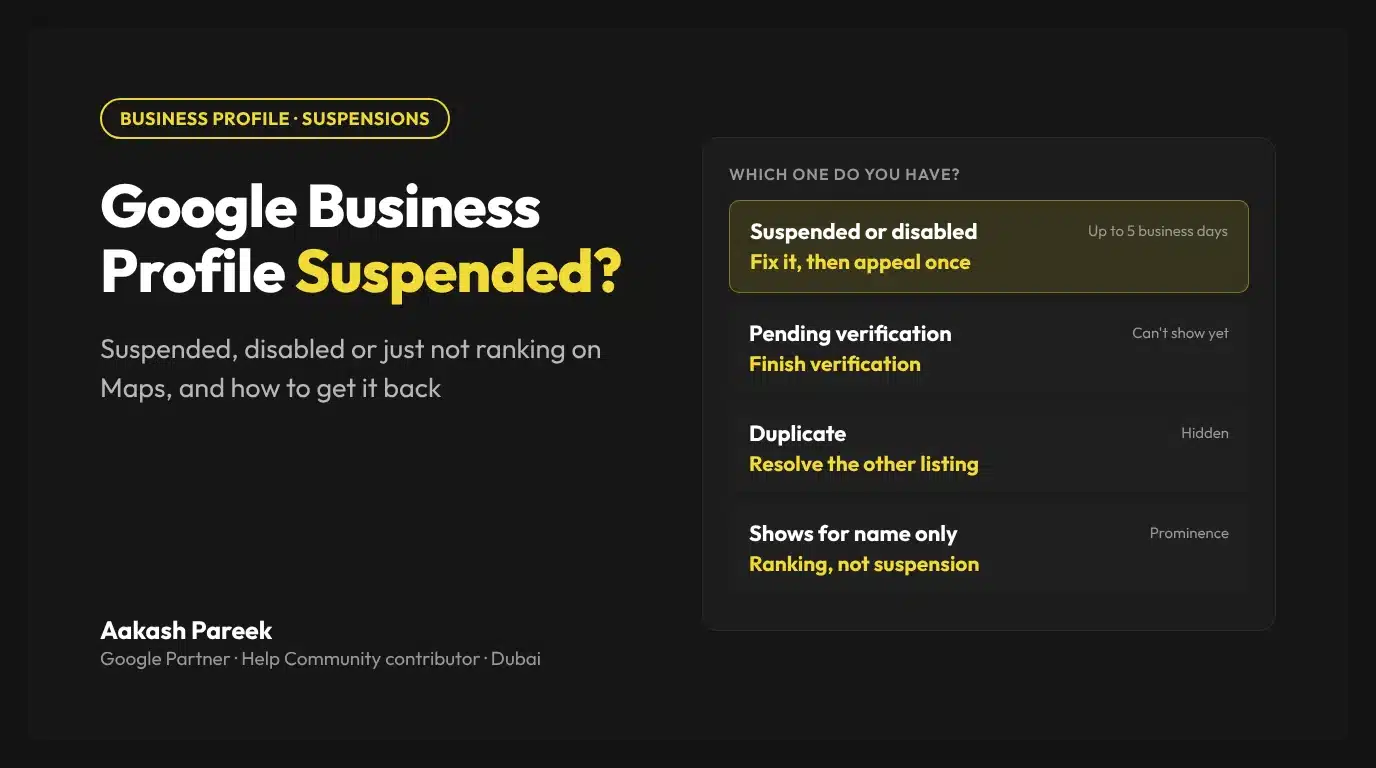
Before anything else, sign in to business.google.com with the account that manages the profile, and look at the status. Then search for your exact business name on Google Maps while signed out. Together, those two checks tell you where you stand:
| What you see | What it means | What to do |
|---|---|---|
| Suspended or disabled | Google found a guideline problem and hid the profile | Fix it, then appeal once |
| Pending verification or Get verified | Google hasn't confirmed you yet, so the profile can't show | Finish verification |
| Duplicate | Google treats another listing as the real one | Resolve the duplicate |
| Verified, shows for exact name only | Live, but not ranking for generic searches | Work on relevance and prominence |
| Just edited | Changes are still processing | Wait a few days |
Google's help on finding your business says only verified businesses can show on Maps and Search. It also says edits can take up to 3 days to appear, and a new profile's ranking can take up to a month.
Why Do Google Business Profiles Get Suspended?
Google says it may suspend or disable profiles that don't follow its guidelines for representing your business. Google rarely says which rule it applied, so you have to check yourself. These are the problems I see most often:
- The address isn't a real place of business. A rented mailbox doesn't qualify, and a virtual office only counts if your own staff are there during business hours. A co-working desk needs clear signage, too.
- The address shows when customers never visit. Service-area businesses should hide their address and set a service area instead.
- Keywords in the business name. Taglines, services or locations added to the name, like "Best AC Repair Dubai Marina", break the rules and can lead to suspension.
- A recent address or name change without proof. In one thread, Google disabled a profile right after an address change.
- Practitioner profiles set up the wrong way. Agents, doctors and lawyers have their own naming rules, so check them before you appeal.
In Dubai, the first two catch a lot of businesses. Many companies list the address on their trade licence, such as a flexi-desk or shared office, even though no customer ever goes there.
How to Appeal a Suspended Google Business Profile
You only get one appeal per decision, so prepare before you submit. According to Google's page on suspended and disabled profiles, here's the process:
- Fix the cause first. Correct the name, hide the address if you're a service-area business, or move the profile to a real, staffed location.
- Gather matching documents. A business registration, licence, tax certificate or utility bill. The business name and address on each must match the profile exactly.
- Open the Business Profile appeals tool. Sign in with the Google account linked to the profile, select it, then select the decision you want to appeal.
- Upload the evidence and explain. Say briefly what you changed and why the profile should be reinstated.
- Submit and wait. Google says decisions can take up to 5 business days, and it emails you the result.
Most importantly, don't create a new profile while you wait. Google specifically says not to, and the old profile holds your reviews.
Business Profile Suspended? Check Before You Appeal
You only get one appeal. Send me your profile and documents, and I'll tell you what's likely wrong and what your appeal should include before you submit. No obligation.
Get My Free Profile Check → Prefer WhatsApp? Message me directlyTwo more rules from Google's appeals help page are worth knowing. If your whole account is restricted, you have to lift that first, and then appeal the profile. And if you manage more than 10 suspended profiles, you can request reinstatement in bulk with a spreadsheet of profile IDs.
Google Business Profile Disabled After an Address Change?
This happens when Google can't confirm the new address. So before you appeal, collect proof of the new address in the business name, such as a utility bill, licence or registration. Then appeal once with those documents attached.
Also check whether the new address is a storefront customers visit. If you serve customers at their location instead, set the profile up as a service-area business with the address hidden. Otherwise Google will ask you to prove a storefront you don't have.
What If an Old or Fake Listing Is Hurting Your Appeal?
Sometimes the problem isn't only your profile. In one thread, a real estate agent's suspended profile shared the area with an old listing under a keyword-style name at a previous address. To a reviewer, that can look like the same person running two listings.
So deal with it before appealing. On Google Maps, use Suggest an edit to fix the name, or report the old listing as a duplicate. Then mention in your appeal that it isn't yours and that you've reported it.
Why Is Posting Turned Off on My Business Profile?
A posting restriction applies to the profile itself, not to one post. So once it's on, Google rejects every new post, whatever it says. In one thread, a care group published the same update to several locations at once, and two of them ended up with posting turned off.
For content restrictions like this, Google says businesses outside the UK and EEA may need the Business Profile "contact us" form instead of the appeals tool. Send one request per affected profile, and allow up to 5 business days.
Can Fake Reviews Get a Business Profile Restricted?
Yes. Under Google's fake engagement policy, a business can have new reviews blocked for a period, existing reviews unpublished, or a notice shown to customers that fake reviews were removed. Reviews from friends, family or staff count too. If you're dealing with fake reviews from someone else, my guide on how to remove fake Google reviews covers the right route.
Verified Profile Not Showing on Google Maps for "Near Me" Searches?
If your profile shows when you search its exact name, it isn't suspended or hidden. It just isn't ranking for generic searches yet. According to Google's local ranking help, results depend on three things:
- Relevance: how well your profile matches the search.
- Distance: how far you are from the person searching.
- Prominence: how well known the business is, including reviews and links from other websites.
When distance is clearly fine, prominence is usually what's missing. In one thread, a verified hospital showed for its name but not for "hospital near me". The realistic levers were more recent reviews and consistent mentions of the hospital and its services on its website and other directories.
Google also says you can't pay or request a better local ranking. So anyone selling a guaranteed top-three Maps spot in Dubai, or anywhere else, can't deliver it.
What Should You Avoid With a Suspended Business Profile?
- Creating a new profile for the same business.
- Appealing before you've fixed the cause, since you get one appeal per decision.
- Sending repeat appeals while one is pending.
- Adding keywords to the business name to "help" ranking.
- Asking friends or staff for reviews to make up for lost visibility.
If Google also asks you to re-verify after reinstatement, my guide on Google Business Profile video verification shows what to film. For ranking once you're back, see my local SEO and Google Business Profile guide for Dubai.
Get Your Business Back on Google Maps
Send me your Business Profile link and the suspension notice on WhatsApp. I'll check it against Google's guidelines, tell you what to fix, and help you prepare an appeal you only have to send once.
Send Me Your Suspension Notice → Usually a reply within the hour during UAE business hours. Or email hello@aakashpareek.in