Google Search Console errors can look alarming. For example, a red bar in Page indexing, "Request indexing quota exceeded", or a chart that suddenly falls off a cliff. Yet most of what I see isn't a broken site at all. Instead, it's usually Google telling you what it decided and why.
I answer questions in Google's official Help Community, and 64 of my threads have been about Search Console and Google Search. And the same questions come up again and again. So this guide groups them, tells you what each message really means, and links to the full fix.
Which Google Search Console Error Are You Seeing?
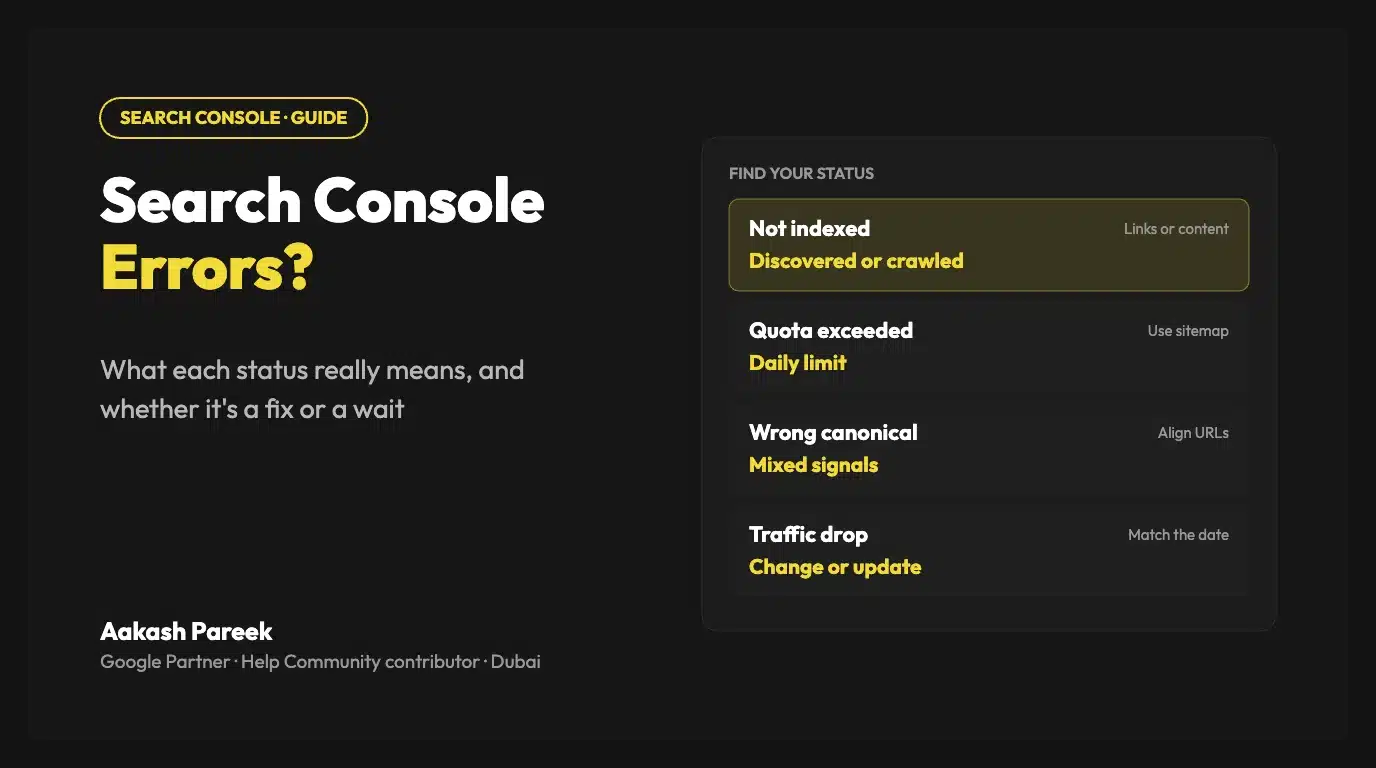
First, find what you see in the table. Each row covers one group of Google Search Console errors and links to a step by step guide.
| What you see | What it usually means | Full guide |
|---|---|---|
| Discovered or Crawled - currently not indexed | Google is waiting, or chose not to index for now | Not indexed |
| New site missing from Google | Too early, or a block left on | Website not showing |
| Request indexing quota exceeded | Daily limit reached | Quota exceeded |
| Google chose a different canonical | Your own signals disagree | Wrong canonical |
| Wrong site name in results | Missing or mixed name signals | Site name |
| Favicon missing or old | Waiting for a recrawl | Favicon |
| Traffic dropped suddenly | A change, an update or a server problem | Traffic drop |
| Security issues or hacked warning | Malware, phishing or spam pages | Hacked site |
| Position looks wrong | Topmost link, including AI Overviews | Performance report |
| Not appearing in AI Overviews | Indexing, snippets or a setting | AI Overviews |
Indexing Problems: The Most Common Google Search Console Errors
Indexing questions are the most common Google Search Console errors in my threads. In particular, two statuses cause most of the confusion, and they mean different things.
- Discovered - currently not indexed means Google knows the URL but hasn't crawled it yet. Usually it needs better internal links and a healthy server.
- Crawled - currently not indexed means Google fetched the page and decided not to index it for now. In most cases it needs more useful, more unique content.
Either way, resubmitting rarely helps. Also, a sitemap that says "Success" only means Google read the file, not that it indexed the pages. Google's Page indexing report help lists every status. Full guide: Discovered and Crawled - currently not indexed.
For a brand new site, on the other hand, it's usually just early. After all, crawling can take a few days to a few weeks. Still, check for the usual blocks first:
- Noindex left on from development. In WordPress, check Settings > Reading and your SEO plugin.
- robots.txt blocking pages you want indexed.
- A firewall or bot challenge that stops Googlebot, even when one live test passes.
- No internal links to the new pages.
Once those are clear, give it time. Full guide: Website not showing on Google.
Request Indexing and Canonical Errors in Search Console
"Request indexing quota exceeded" means you've hit Search Console's daily limit. However, it doesn't mean your site is broken, and Google doesn't publish the number. More importantly, you rarely need the button. Repeating a request doesn't speed up crawling, and a sitemap plus internal links gets pages found anyway. Full guide: Request indexing quota exceeded.
Canonical messages are among the more confusing Google Search Console errors. "Google chose a different canonical than user" usually means your own signals disagree. That's because Google treats redirects and canonical tags as strong signals, and sitemaps as weaker ones. So if your redirects say www but your canonicals and sitemap say non-www, Google has to guess. To fix it, make them all point to the same URL, then let Google recrawl. Full guide: Google wrong canonical.
Not Sure What Search Console Is Telling You?
Send me a screenshot of the status or report. I'll explain what it means and whether it's a fix or a wait. No obligation.
Get My Free SEO Check → Prefer WhatsApp? Message me directlySite Name and Favicon Problems
These aren't technically Google Search Console errors, but people look for the answer there first. A wrong site name came up in 11 of my threads. If Google shows the wrong name or just your domain, add WebSite structured data with your preferred name to the home page. After that, use the same name in the title, og:site_name and a visible heading. Even then, updates take days to weeks. Full guide: Wrong site name in Google.
Similarly, favicons follow the same pattern. A missing favicon is usually a timing problem, because Google only updates it after recrawling your home page. Meanwhile, also check that the icon is square, declared with rel="icon" on the home page, and that Googlebot-Image can fetch it. Full guide: Favicon not showing in Google.
Traffic Drops and Google Search Console Errors After Changes
Sudden drops came up in 14 of my threads, and many were linked to Google Search Console errors that appeared after a change. The most useful question is simple: what happened on the exact date the drop started?
- Check Google's Search Status Dashboard for a core or spam update on that date.
- List your own changes, such as a deploy, a migration, a firewall rule, a CDN or a hosting move.
- Open Settings > Crawl stats and look for server errors or a fall in crawl requests.
- Check Manual actions and Security issues. If both are clear, there's nothing to request from Google.
As a rule, a site-wide drop on the day of a change is usually technical. By contrast, a drop during an update with no errors is usually about quality or spam. Google's guide to debugging traffic drops uses the same approach. Full guide: Website traffic dropped suddenly.
Hacked Site and Security Warnings
Security warnings are the most urgent Google Search Console errors. First of all, find and remove the cause. Only then request a review in the Security issues report. According to Google, phishing reviews take about a day, malware a few days, and hacked spam up to several weeks. Even after that, rankings for clean pages can take weeks to months to fully return. Full guide: Hacked website recovery in Google.
Reading Search Console Reports and AI Overviews
Some questions aren't about Google Search Console errors at all, but about reading the data. The most common one is this: why does average position say 2 when the page sits on page 6? That's because, in the Performance report, position is the topmost link to your site on the results page, including AI Overviews and other features. So high impressions with almost no clicks often points to a feature at the top. Full guide: Search Console performance report explained.
AI Overviews raise their own questions. For example, to appear in them, a page must be indexed and eligible to show with a snippet. Google says there are no extra technical requirements, no llms.txt and no special schema. Then also check that Search Console's Search generative AI setting is on Include. Full guide: How to appear in Google AI Overviews.
How to Avoid Most Google Search Console Errors
After 64 threads, the pattern is clear. In short, most of the trouble starts with a change nobody checked, so a few habits go a long way:
- Verify a Domain property so you see every version of the site, and keep yourself as an owner.
- Check URL Inspection after every deploy, especially for noindex, canonicals and robots.txt.
- Keep redirects, canonicals and sitemaps consistent on one version of each URL.
- Watch Crawl stats after any firewall, CDN or hosting change.
- Link new pages internally instead of pressing Request indexing.
- Read the exact status first. Most fixes depend on it.
If you'd like someone to look at the actual property, that's part of my SEO services in Dubai. And if you're just starting out, my SEO checklist for beginners covers the basics.
Fix Your Google Search Console Errors With a Google Partner
Message me on WhatsApp with your domain and what you're seeing. I'll check indexing, blocks and recent changes, then tell you what to fix first.
Get SEO Help on WhatsApp → Usually a reply within the hour during UAE business hours. Or email hello@aakashpareek.in