
"I got 12 clicks and no calls. They must be fake. When do I get a refund?"
I answer questions in Google's official Help Community, and that message is close to word for word what people post. In fact, clicks without calls came up in 12 of my threads, from taxi firms and movers to B2B suppliers. In almost every case, though, the clicks were real. They just came from people who were never going to buy.
So here's how I work through Google Ads clicks but no leads, in the order I check things.
Clicks without leads is usually a settings problem, not fraud. If you want to rule out the other causes, my Google Ads troubleshooting guide goes through them by symptom.
Are Google Ads Clicks but No Leads a Sign of Fake Clicks?
Usually not. Google's invalid traffic page says invalid clicks found before the end of your billing cycle are removed from your reports and your bill automatically. If Google finds them later, it issues a credit in the next billing cycle instead.
To see how many clicks Google filtered, add the "Invalid clicks" column on the Campaigns page. Those clicks are already free. If you still suspect invalid activity that wasn't caught, you can ask Google to investigate activity from the last 60 days.
Also, a handful of clicks tells you very little. With 4 or 12 clicks, no calls is a normal result even for a good campaign. As a rule, I don't judge a campaign until it has a lot more data.
Check the Search Terms Behind the Clicks
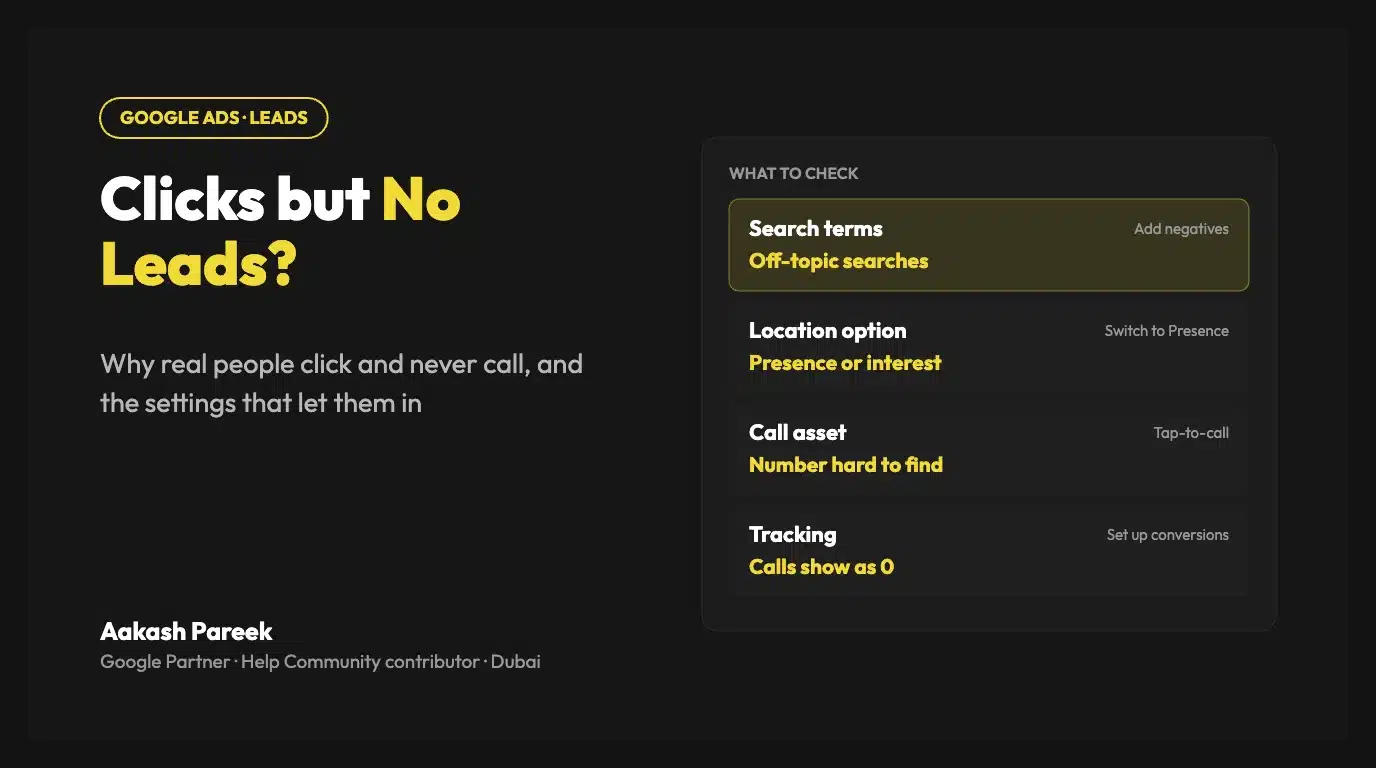
This is where most Google Ads clicks but no leads come from. Go to Insights and reports > Search terms and read what people actually typed.
For example, a taxi firm in a pilgrimage town will see searches for temple timings, hotels and train routes. Similarly, a removals company sees "packers and movers jobs". Those people click, read, and leave. You pay for every one.
- Add irrelevant terms as negative keywords, such as jobs, free, training, or a competitor's name.
- Tighten your keywords to service plus place, like "airport taxi Dubai".
- Check the report again every few days for the first few weeks.
Location Settings That Waste Google Ads Clicks
Under Locations > Location options, there are two choices. "Presence" shows ads to people in or regularly in your area. "Presence or interest" also shows them to people elsewhere who searched about your area.
For a local service business, interest is often where Google Ads clicks but no leads come from. Someone in another country researching your city is not booking a plumber. So I switch most local clients to Presence, and add other cities deliberately if they really serve them.
| What you see | Likely cause | First fix |
|---|---|---|
| Clicks from off-topic searches | Loose keywords or AI Max matching | Negatives, tighter keywords |
| Clicks from outside your area | "Presence or interest" setting | Switch to Presence |
| Visits, but no calls | Number hard to find on mobile | Call asset, tap-to-call button |
| Calls happen, but show as 0 | No call or form tracking | Set up conversions |
| Competitor on your brand name | Brand keyword bidding | Run your own brand ads |
Make Calling Easy From the Ad and the Page
Many visitors want to call, but give up when the number is buried, and that shows up as Google Ads clicks but no leads. So add a call asset to your campaign, and schedule it for the hours someone actually answers. Then check your landing page on your own phone. If the number isn't a tap-to-call button near the top, fix that first.
Adding a call asset fails sometimes. If the number is formatted correctly and it still errors, add it from the Assets page at account level instead. Alternatively, create it in Google Ads Editor and post it from there. On an iPhone, open ads.google.com in Safari and request the desktop site, since the app doesn't show Assets.
Paying for Clicks That Never Call?
Share your search terms and settings. I'll show you where the wasted clicks are coming from and what to change first. No obligation.
Get My Free Google Ads Audit → Prefer WhatsApp? Message me directlyIs Tracking Hiding Your Google Ads Leads?
Sometimes the leads exist, and the report only shows Google Ads clicks but no leads because nothing is measured. If calls and form fills aren't set up as conversions, the Conversions column stays at 0. Worse, Smart Bidding has nothing to learn from.
Turn on call reporting so "Calls from ads" counts as a conversion. Then add tracking for calls from your website and for form submissions. My guide to Google Ads conversion tracking not working covers the common setup mistakes.
AI Max Matching Your Ads to the Wrong Searches
If your Search campaign uses AI Max, search term matching is on by default. It goes beyond your keywords, using your ads and landing pages to find searches. That can bring good new searches, but it can also bring Google Ads clicks but no leads from searches that were never a fit.
One supplier in my threads sold menu covers and got matched to printing companies and competitor searches. Support called it working as designed. Even so, there are controls. Google's AI Max page confirms you can:
- Turn search term matching off for any ad group, while keeping AI Max for ad text.
- Add brand exclusions at campaign level to keep ads off competitor brand searches.
- Keep using negative keywords, which still apply.
In my experience, a credit for past AI Max clicks is unlikely once support has reviewed it. Therefore, the fix is to change the settings and watch the search terms closely afterwards.
A Competitor Is Bidding on Your Business Name
This feels unfair, but it's allowed. Google's trademark policy doesn't stop a competitor using your name as a keyword. However, using your registered trademark in their ad text is restricted, and you can file a complaint for that.
If they only appear when people search your name, the usual answer is to run your own brand campaign. Brand clicks are often cheap, and in my experience they're one of the cheaper fixes for Google Ads clicks but no leads.
When the Clicks Are Fine but Leads Still Don't Come
If the search terms are relevant, the location is right and tracking works, then look at the offer. Compare your prices, reviews and page with the three competitors above you. Also check your Google Business Profile, because many people check reviews before they call.
Finally, give it time. A new campaign with a small budget needs weeks of data, not days, before you can fairly judge Google Ads clicks but no leads.
Turn Google Ads Clicks Into Real Leads
Message me on WhatsApp. As a Google Partner, I'll review your search terms, location settings and tracking, and tell you exactly where the budget is leaking.
Get My Google Ads Audit on WhatsApp → Usually a reply within the hour during UAE business hours. Or email hello@aakashpareek.in