Most Google Ads advertiser verification problems I see aren't about missing documents. The person has a valid ID or a valid licence. The problem is that the details on their payments profile don't match it, or someone set the profile up as the wrong type years ago.
I answer questions in Google's official Help Community, and 13 of my threads there are about advertiser, identity and payment verification. So this guide explains what Google actually checks, why Google rejects verification, and how to fix each case without making it worse.
Verification is one stop on a longer list. For billing, suspensions and the rest, see my guide to common Google Ads problems.
What Is Google Ads Advertiser Verification?
It's a set of tasks that confirm who's paying for and running the ads. According to Google's advertiser verification page, all advertisers will eventually have to verify. Google picks some accounts earlier, for example in certain industries, after suspicious activity, or before a suspension appeal.
Once you're verified, your name or organisation name and location can appear in ad disclosures and the Ads Transparency Center. Google says verification status can take up to 5 business days to update. If you miss the deadline Google gives you, Google may restrict ads or pause the account until you finish.
Individual or Organisation: Which Google Ads Verification Do You Get?
The tasks follow your payments profile's account type, which you'll find under Billing > Settings. This is where most confusion starts.
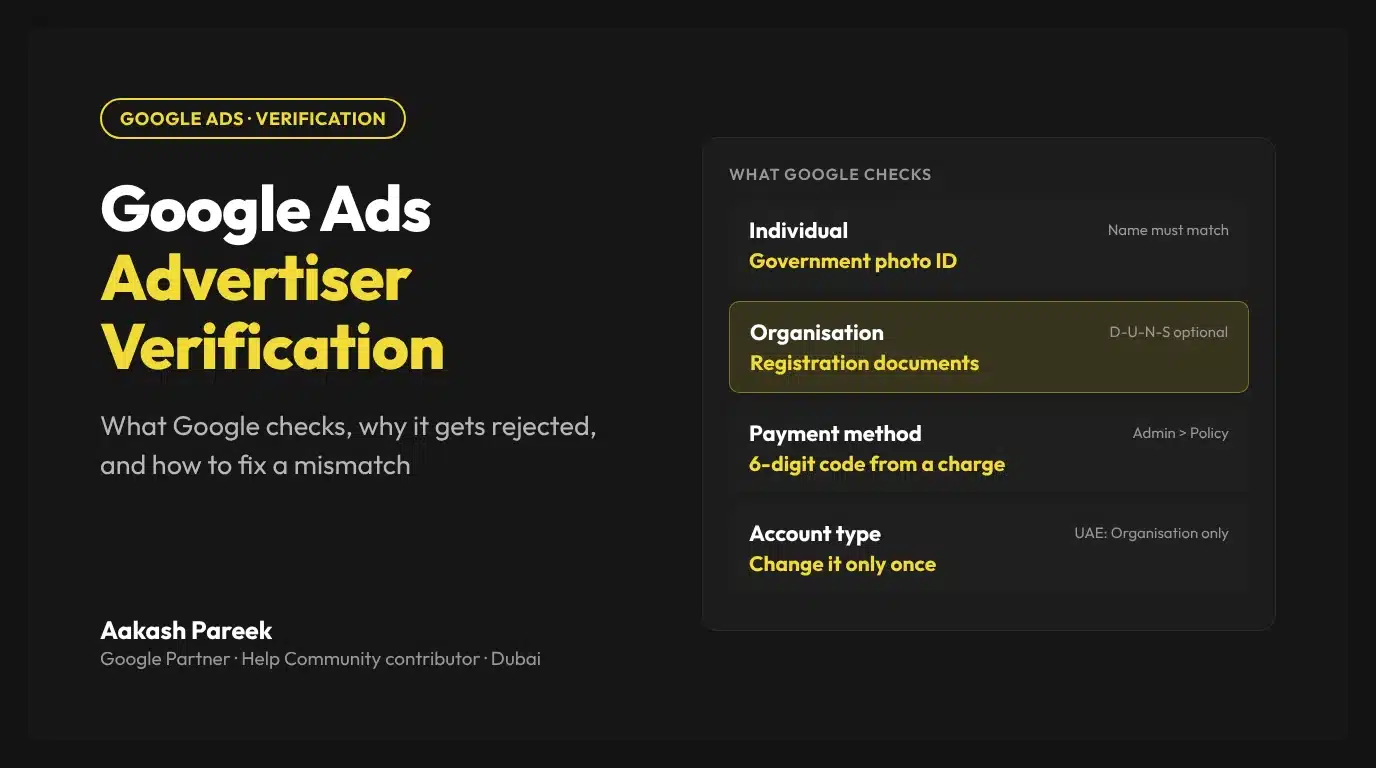
| Individual | Organisation | |
|---|---|---|
| Main proof | Government-issued photo ID | Registration documents for the business |
| Other tasks you may see | Phone code, video selfie | D-U-N-S number (optional), confirm affiliation by email or SMS |
| Name must match | Your legal name on the ID | Legal or registered trade name on the documents |
| Common trap | Using a brand name instead of your own | Profile set as an organisation with no registered business |
One person asked why Google wanted a Dun & Bradstreet number when they were a one-person business. That request only appears for organisations, so their profile was on Organisation. Google's verification tasks page also says the D-U-N-S step is optional. After 3 unsuccessful matches, Google simply asks for organisation documents instead.
Why Was My Google Ads Verification Rejected?
In my threads, almost every rejection came down to one of these:
- The names don't match. Google says the name in your documents must match your payments profile name and location exactly, including spelling and abbreviations like "Ltd" or "LLC".
- The account type is wrong. An Individual profile advertising a registered company, or an Organisation profile with no company behind it.
- Google doesn't accept the document. One person used a residence card that wasn't on the accepted list, when a passport would have worked.
- The tax number doesn't match. A TIN check fails when the name and address on the profile differ from what's registered under that TIN.
- The name includes extras. Google says to avoid promotional words, domains, emojis, service descriptions or phone numbers in the name.
So before you resubmit anything, open Billing > Settings and compare your payer name and address with your document, word for word.
Verification Rejected and Not Sure Why?
Send me the rejection message and your account type (hide ID numbers). As a Google Partner, I'll tell you what doesn't match and the safest way to fix it. No obligation.
Get My Free Verification Check → Prefer WhatsApp? Message me directlyHow Do You Change Your Google Ads Account Type?
Sometimes the cleanest fix is switching between Individual and Organisation. For example, one taxi and tour operator had an Individual profile in his own name, while his ads and website showed a registered company. That mismatch fitted the "inconsistent information" rejection.
According to Google's page on changing account type:
- Go to Billing > Settings, open Payer details, and select the pencil icon next to Account type.
- Pay any open balance with a card first.
- Create or choose a payments profile with the correct type, then submit.
Before you do it, know the catches. You can change the account type only once. You'll have to complete advertiser verification again, even if you were verified before. Promotional credit doesn't carry over, either. And if there's no pencil icon, you'll need to contact support.
Google Ads Verification in the UAE: Individual Accounts Aren't Supported
This matters for anyone advertising from Dubai. Google's account type page says that in some countries, such as the UAE and Saudi Arabia, only Organisation accounts are supported. So you can't switch a UAE payments profile to Individual.
In practice, that means verifying in the UAE with your business documents, such as a trade licence, in the exact registered name. If you're a creator or freelancer without a licence, check the accepted documents for the UAE before you start, because you can't fall back on an Individual profile.
Google Ads Advertiser Verification in India: The GSTIN Trap
In India, a GSTIN is mandatory for business payments profiles but optional for individual ones. So a sole trader without GST who set up an Organisation profile by mistake is stuck. In my experience, the realistic route is a new Google Ads account with a new payments profile set to Individual. Whatever you do, don't enter a GSTIN that isn't yours.
How to Fix "Verify Your Payment Information" in Google Ads
Payment verification is a separate task from advertiser verification, and it stops ads until you finish it. Adding more cards won't clear it. In fact, Google says you may need to verify each payment method separately. Google's payment verification page gives these steps:
- Go to Admin > Policy > Account and open the task to confirm your payment method.
- Choose the card and request a code.
- Find the small charge from Google on your statement. The last 6 digits of it are your code.
- Enter the code in Google Ads and finish the task.
If you verify with documents instead, Google says review can take up to 5 business days.
What If the Card You Need to Verify No Longer Exists?
Google asked one advertiser to verify a digital card that they had deleted, along with the account behind it. First, open the verification request and look for a "Submit documents" option, since that route doesn't need the old card. If you only see the code option, contact Google Ads support from inside your account, explain that the card is closed, and attach proof.
Other Google Ads Verification Errors I See Often
- "Verification link has expired" when confirming affiliation. Go back to the task, request a new email to an address on the organisation's domain, and open the link quickly in the same browser where you're signed in.
- Payments profile closed (OR-CAC-13). You can't pay a balance on a closed profile. Contact billing support to ask whether they can re-enable it, since Google's billing help limits how long after closure that's possible.
- Changing the payments contact email. Ads admin access doesn't carry over to payments. Sign in with the old email and add the new one under Billing > Settings > Payments users.
What Should You Avoid During Google Ads Verification?
- Uploading documents that don't match, hoping a reviewer will accept them.
- Using up attempts before checking the payer name. Some tasks lock after a set number of failures.
- Changing account type without checking the catches, since you can only do it once.
- Entering someone else's tax number to get past a form.
If your account was paused or suspended over verification, my guide on what to do when a Google Ads account is suspended covers the next step. And if you'd rather have a Google Partner in Dubai handle setup properly from day one, that's part of my Google Ads management service.
Stuck on Google Ads Advertiser Verification?
Send me a screenshot of your verification page and your Billing > Settings payer details on WhatsApp (hide ID and card numbers). I'll tell you exactly what doesn't match and what to submit next.
Get Verification Help on WhatsApp → Usually a reply within the hour during UAE business hours. Or email hello@aakashpareek.in