
A Google Ads account suspended overnight is one of the most stressful things that can happen to a business that relies on ads. The leads stop, the ads stop, and the appeal you send comes back rejected within hours, with a message that explains nothing.
I answer questions in Google's official Help Community, and I've replied to 17 threads about suspended or paused accounts. Most of those people had already appealed two, three or five times. So this guide explains what each suspension means, what to fix first, and how to write the one appeal that has a real chance.
A suspension is the worst of the Google Ads problems, though not the only one. If you hit something else on the way back, my full list of Google Ads problems and fixes should cover it.
Why Was My Google Ads Account Suspended?
Google always names a policy. You'll find it in two places: the suspension email, and the red notice at the top of your Google Ads account. Before you do anything else, write down that exact policy name, because every fix below depends on it.
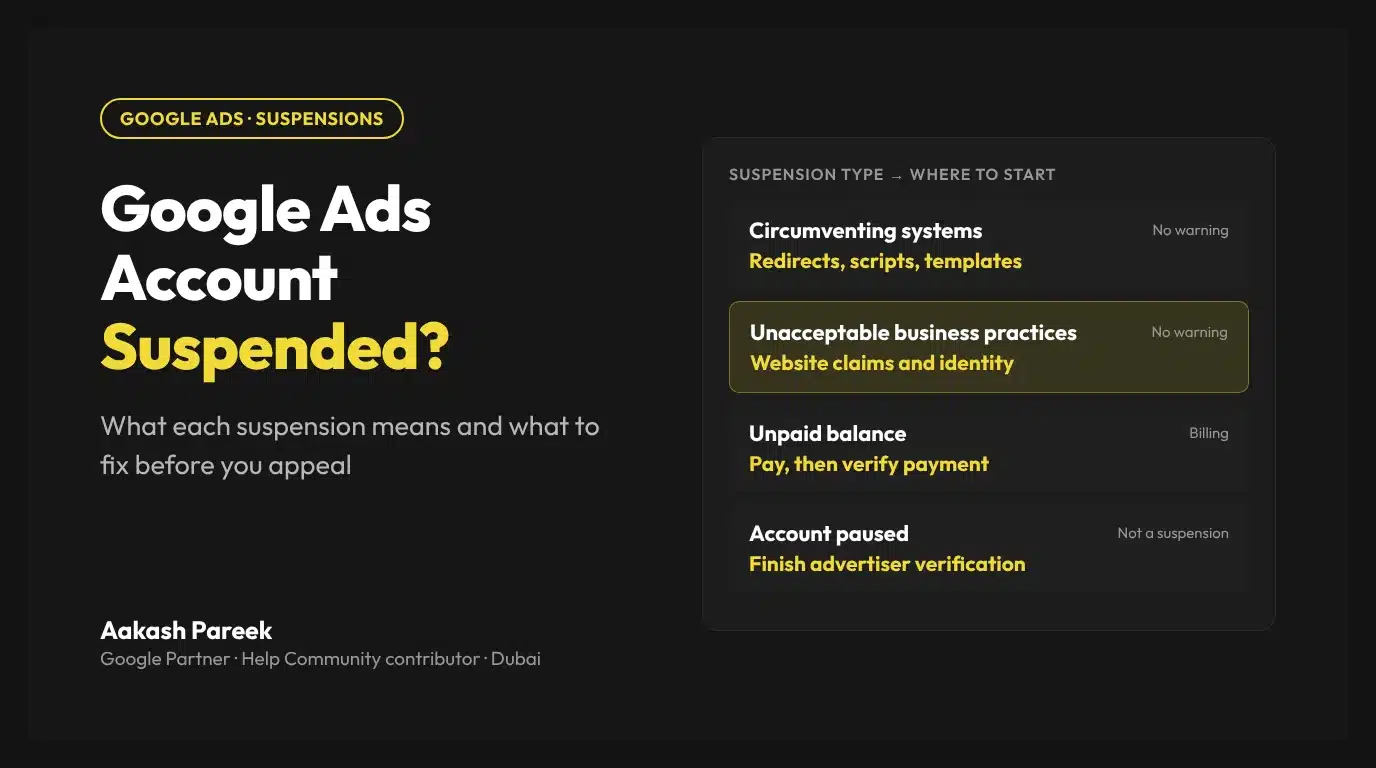
Most of the threads I've answered fall into one of these groups:
| What the notice says | What it usually means | Where to start |
|---|---|---|
| Circumventing systems | Cloaking, hidden redirects, ads that keep coming back after a disapproval, or a link to another suspended account | Your website code, plugins and tracking templates |
| Unacceptable business practices | Something on the site looks like a false affiliation, a missing licence or a scam | Your website and landing pages |
| Unpaid balance | Payments failed and the balance went overdue | Billing, then payment verification |
| Suspicious payment activity | Chargebacks, declined cards or a card nobody recognises | Payment method and account access |
| Account paused (not suspended) | Advertiser verification deadline missed or failed | The verification page |
One thing that surprises people: Google treats Circumventing systems and Unacceptable business practices as "egregious". According to Google's account suspensions overview, these suspend an account immediately, without the usual warning. Other policy problems normally come with a notice at least 7 days before a suspension.
What Can You Still Do While the Account Is Suspended?
Not much. A suspended account is read-only. You can sign in, view reports, make payments, update security settings, complete verification, appeal, or cancel and claim a refund. However, you can't edit or delete ads, and no ads run in any location.
That matters, because several people I've helped ran into exactly this. One account was suspended for cloaking because of old ads from a past hack, and the owner couldn't remove them since the account was read-only. In that case, the fix happens outside the account, and the appeal has to explain it.
Google Ads Account Suspended for Circumventing Systems
This came up in 4 of the 17 threads, and it's the one people misunderstand most. Circumventing systems isn't about website security, so a clean Search Console report won't help your appeal. Instead, Google's Circumventing systems policy covers things like:
- Cloaking, where Google's reviewer sees one page and real visitors see another.
- Redirects that send some visitors elsewhere based on country, device or click tracker.
- Rerunning slightly changed versions of ads or sites that Google already disapproved.
- Opening new accounts after a suspension, or links to another suspended account.
- Giving false information during verification.
In practice, the cause is often a plugin or script nobody remembers adding. For example, one online store had a script that changed page text by visitor location, plus code that hid a page and redirected visitors by country. The owner didn't mean to trick Google with either, but both look exactly like cloaking to a reviewer.
What to Check Before You Appeal
These are the five places I'd look first:
- Geo or device redirects. Look for plugins, apps or scripts that show different pages to different countries or devices. Give each market its own fixed URL instead.
- Tracking templates. Check account, campaign and ad level templates for third-party redirects you don't recognise.
- Old disapproved content. If you rebuilt a disapproved ad or landing page with small changes, that counts against you.
- Related accounts. Think about whether the payment method, domain or anyone with access was ever on another Ads account that got suspended.
- Claims on the site. While you're cleaning up, also remove claims you can't prove. In that same store, health benefit claims on a copper bracelet would have sunk the appeal on their own.
Be realistic, though. Google says it reinstates these accounts only in compelling circumstances, such as a genuine mistake. So your appeal has to show exactly what you found and changed.
Not Sure What Triggered Your Suspension?
Send me the suspension email and your website. As a Google Partner, I'll tell you what most likely caused it and what to fix before you use another appeal. No obligation.
Get My Free Account Check → Prefer WhatsApp? Message me directlyGoogle Ads Account Suspended for Unacceptable Business Practices
This came up in 3 of the 17 threads, and in two of them the business had done nothing knowingly wrong. Google's Unacceptable business practices policy covers four things:
- Implying a link to a brand, organisation or government body that doesn't exist.
- Selling something you can't deliver, including services that need a licence or qualification you don't have.
- Misrepresenting services that could affect health or safety.
- Impersonating another business to get money or personal details.
So go through your site the way a sceptical reviewer would. Look for an official-sounding claim, a partner logo you have no permission to use, or a page that uses a brand's name so it looks like their site. Also check that your business name, address, phone and licence details are easy to find and match your verification.
For example, one ticket reseller fixed most of this, but the ads and page titles still used the attractions' own names in a way that looked official. Another business was running ads to a page on a generic subdomain with no clear link to the verified company. Both are the kind of signal this policy picks up.
In Dubai, this one hits close to home for property businesses. Google's own example of a violation is a fake "official" site for a real estate development. If you're an agent advertising off-plan projects by developer name, make it obvious on every page that you're an agent, not the developer.
Is Misrepresentation the Same as Unacceptable Business Practices?
Not quite. Unacceptable business practices is one part of Google's wider Misrepresentation policy. The other parts cover things like unreliable claims, dishonest pricing and misleading representation. Even so, when you're cleaning up for an appeal, fix them all together. That means health claims you can't back up, countdown timers that never end, and "up to 80% off" offers you can't prove.
Google Ads Account Suspended for Unpaid Balance
This is the most frustrating one, because people pay and the suspension doesn't lift. I've seen owners pay the balance, sometimes three times over, and still wait weeks for the account to come back.
The reason is usually payment verification. Google's billing suspension page says you may have to verify your payment method within 30 days before your appeal is processed. Until you do, appeals keep coming back rejected, no matter what you write. Here's what to do:
- Check for an open task. Go to Admin > Policy > Account and look for "Confirm your payment method" or a payment verification task. Also check payments.google.com with the account that owns the payments profile.
- Complete the verification. Google offers a small temporary charge with a code, a payment, or a document upload such as an ID or proof of address.
- Confirm the payment posted. Under Billing > Transactions, the payment should show as completed, not still processing. Bank transfers take longer than cards.
- Send one appeal and wait. Google warns that filing many appeals for the same suspension may mean Google doesn't process them.
If you paid more than once, you haven't lost the extra money. Once the account is active, Google uses it against future spend, or you can ask support for a refund of the extra credit.
Google Ads Account Suspended for Suspicious Payment Activity
Google uses this for things like repeated declined payments, chargebacks, several new cards added at once, or a card whose owner isn't clear. In one thread, the business owner didn't even recognise the card on file, so she couldn't verify it.
If that sounds familiar, treat it as a possible compromise first. Then:
- Check Admin > Access and security for users you don't know, and remove them.
- If the verification task offers a document upload, use it instead of the card code.
- In the appeal, explain who owns the payment method on the account and where the chargebacks came from.
What If Your Google Ads Account Was Hacked?
A hacked account often gets suspended while Google secures it. Signs include users, manager accounts (MCCs), budgets or automated rules you didn't add. If you still have admin access, remove the unknown manager yourself: Admin > Access and security > Managers, then remove access next to that manager.
Then use Google's "Report your compromised account" form instead of a normal suspension appeal. Include the times of the changes you didn't make and any unknown manager account IDs. Google says you must recover the account and turn on 2-Step Verification before you can ask for reimbursement.
The same applies if someone opened an account in your name. In that case, skip the suspension appeal, since Google built it for advertisers who want their account back.
Compromised Site: Suspension or Disapproval?
"Compromised site" sounds scary, but on its own it's a disapproval, not an instant suspension. Google says it gives at least 7 days' warning before suspending an account for it. So fix it quickly:
- Check Security issues in Google Search Console, and your domain in Google's Safe Browsing site status tool.
- Remove code that loads content from the domains Google names, and update your CMS, theme and plugins.
- Resubmit the ads, and allow up to 72 hours for Google to recrawl the site.
Google Ads Account Paused, Not Suspended: What's the Difference?
A paused account is a different problem, and paying the bill won't clear it. Usually the pause comes from advertiser verification: either the 30-day deadline passed, or there were too many failed attempts.
- If you missed the deadline, restart verification from the link in Google's email. The account unpauses once you're verified.
- If attempts failed, fix what didn't match, then appeal. Google says most of these take 5 to 7 business days.
- If you already submitted and it says complete, don't resubmit. Wait for the review, then contact support with your submission date.
Uploading documents also doesn't approve them on the spot. If the status says "In review", wait. If Google rejects it, the message says which document or detail didn't match, and the name and address must match what you entered.
How to Appeal a Google Ads Suspension
Repeated rejections usually mean the appeal doesn't deal with the specific policy. So fix first, appeal once, and make that appeal count:
- Fix everything first. Each rejected appeal makes the next one harder to win, so don't appeal halfway through a fix.
- Complete any verification task. Some advertisers must verify their identity before appealing. Google says that after 3 failed identity verification attempts, you can't appeal.
- Use Contact Us. Open the link in the red suspension notice and choose the appeal form.
- Be specific. List what you found, what you changed and when. Name pages, scripts or templates.
- Attach proof. Reseller agreements, licences, a case ID from an earlier hack investigation or payment receipts all help.
- Send one appeal per account, then wait. Google says filing too many can delay things, and suspected misuse can pause appeals for 7 days.
You have time. Google says all advertisers have at least 6 months from the suspension date to appeal, so a careful appeal next week beats a rushed one today.
Should You Open a New Google Ads Account Instead?
No. Creating a new account after a suspension is itself listed under Circumventing systems. Google also says new accounts from a suspended advertiser may be suspended too, and it recommends getting the old account reinstated first. In my experience, a new account usually just adds a second suspension to the first.
If your appeal is rejected and you're sure the business is compliant, re-appeal through the same process with new evidence. If you run ads for clients, a Google Partner in Dubai can also look at the account from the outside. That's a big part of what I do in my Google Ads management work.
Google Ads Account Suspended? Let's Fix It Properly
Send me the suspension email on WhatsApp. I'll tell you which policy route fits, what to fix on your site or billing, and what your appeal should say, before you use another attempt.
Send Me Your Suspension Email → Usually a reply within the hour during UAE business hours. Or email hello@aakashpareek.in